
One of the many audio/visual things we help with is improving the quality of home recording, including podcasting and webinars. It’s always annoying when the speaker on a webinar has bad audio – sometimes it can be so bad as to detract from what they’re talking about.
To that effect, let’s talk about the Focusrite Vocaster Two USB audio interface.
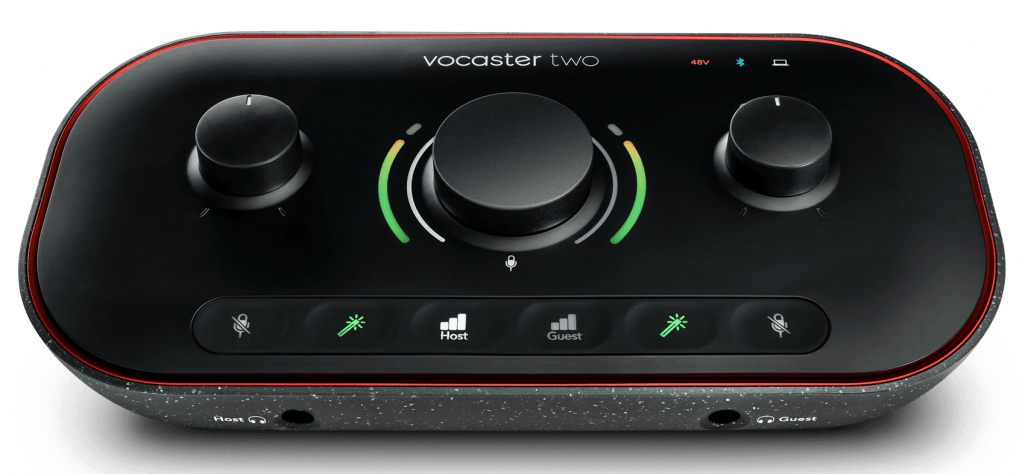
What’s in a name?
Vocaster – because it’s aimed at vocals and podcasters. Two because it’s designed for two people. And very nicely it is designed! The thing looks lovely, feels lovely and does (most) of what you want really very nicely indeed.
Connections
You get two balanced XLR mic inputs at the back which can supply 48VDC phantom power, two headphone sockets at the front with individual volume controls, left and right balanced 1/4″ jack speaker outputs (we’ll come back to those!), a 3.5mm output for a camera, a 3.5mm input for a phone, and of course a USB C socket to connect the Vocaster Two to your computer. There’s also a Bluetooth receiver built in, which could be handy.
Controls
Each presenter gets a volume control knob for their headphones. The knob for presenter #1 also controls the loudspeaker output volume (we’ll come back to that!). There’s a big knob in the middle which controls the mic levels, and a series of buttons along the bottom. These include a mic mute button for each presenter, an enhance button for each presenter, and a select button for each presenter, that determines which person the central knob controls the gain for.
Displays
Each knob has what Focusrite call a halo display around it: these are a ring of multicolour LEDs that show the current signal level and the current gain level. They work really well and are a nice design feature. There’s indicators to show that USB is active, likewise 48V phantom power, Bluetooth connection, and the buttons along the bottom all light up too. This makes it really easy to see what’s going on at a glance, without needing to look at a screen.
The problem
I’ll be upfront about this: if you like wearing headphones all the time, including when you’re presenting in a webinar, meeting, or any other time when you’ll be using the device, and you have closed-back headphones, don’t play them too loud, and are using a dynamic mic (instead of a condenser, which tend to be more sensitive) this “problem” likely won’t be a problem for you.
If, however, you prefer to listen using loudspeakers, the Vocaster Two has a pretty serious problem. Namely that the loudspeaker output always contains the mic signal. And, as it states quite clearly on page 19 of the user guide: “this can create an audio feedback loop“! And unlike on most other USB audio interfaces I’ve used (including others by Focusrite, e.g. Scarlett) you have no way to stop the mic signals being mixed internally and sent to the loudspeaker output.
What do we recommend?
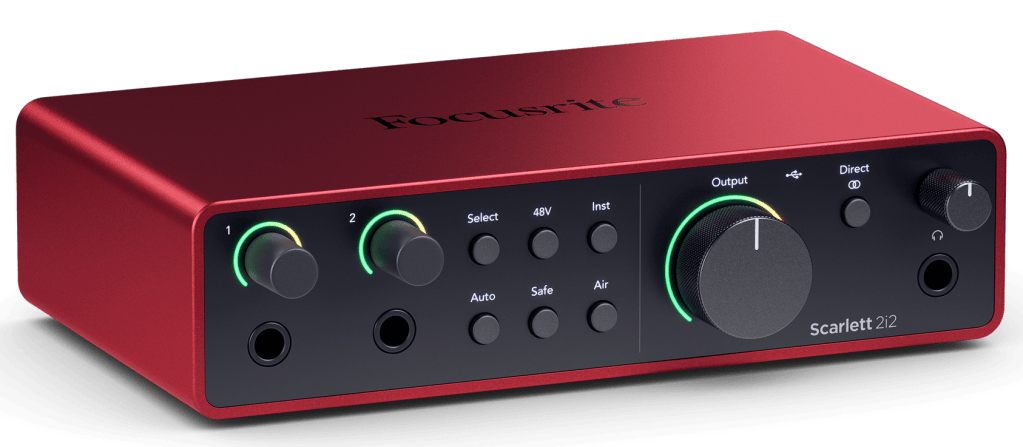
If you want to use loudspeakers, don’t want feedback (!), and don’t need Bluetooth, the Focusrite Scarlett 2i2 does the job very nicely. It’s a different form factor, swaps two headphone controls for two mic level controls, and the “big knob” controls the loudspeaker level instead. The key to resolving the mic feedback issues is the Direct button, which allows you to control whether or not you get the mics in the speakers via internal signal routing in the 2i2. The default is that you do not.
 RCM Audio